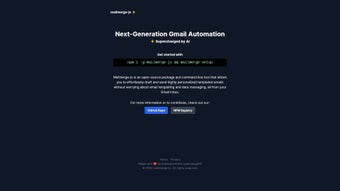

Download Mailmerge‑JS – Open‑Source AI Email Automation Tool
Overview
Mailmerge‑JS is an open‑source, AI‑powered command‑line utility built specifically for Gmail power users who need to send large volumes of personalized emails without the tedious manual work of copy‑pasting or maintaining separate templates. By leveraging the Gmail API and modern JavaScript libraries, Mailmerge‑JS lets you define a single template with placeholders, feed it a CSV or JSON data source, and let the tool handle the heavy lifting—injecting each recipient’s name, company, or any custom field right inside the email body and subject line. The AI component goes a step further: it can suggest subject‑line variations, rewrite email copy for higher engagement, and even flag potential spam triggers before the campaign launches. Because it is distributed via npm, installation is a matter of a single command, and the entire codebase lives on GitHub under a permissive MIT license, inviting developers to contribute, audit, or fork the project. Whether you are a marketer orchestrating a product launch, a recruiter reaching out to candidates, or a small business owner following up with clients, Mailmerge‑JS offers a secure, transparent, and highly customizable solution that integrates directly with your Gmail inbox, eliminating the need for third‑party SaaS platforms that often charge per‑contact fees.
Key Features
- AI‑enhanced subject line generation: Uses natural‑language models to propose attention‑grabbing subject lines based on your email content.
- Dynamic templating: Supports {{placeholders}} for any field in your data source, enabling fully personalized messages.
- CSV/JSON data import: Seamlessly reads contact lists from common formats, making migration from spreadsheets painless.
- Gmail API integration: Sends emails directly from your Gmail account, preserving your sent folder and threading.
- Spam‑risk analysis: Real‑time feedback on content that may trigger spam filters, helping you maintain high deliverability.
- Open‑source transparency: All source code is publicly available on GitHub, allowing community audits and contributions.
- Cross‑platform CLI: Works on Windows, macOS, and Linux, provided you have Node.js installed.
- Versioned releases & auto‑updates: npm handles updates, ensuring you always have the latest bug fixes and features.
- Extensible plugin system: Developers can write custom modules to extend functionality, such as adding attachments or integrating with CRM APIs.
- Privacy‑first design: No external servers store your email content; everything runs locally on your machine.
Installation & Usage Instructions
Getting Mailmerge‑JS up and running is straightforward for anyone comfortable with a terminal. Follow these steps to start sending personalized campaigns within minutes:
Prerequisites
- Node.js (v14 or later) installed on your system.
- A Gmail account with API access enabled (you’ll need to create OAuth credentials in Google Cloud Console).
- A CSV or JSON file containing at least two columns:
emailand any custom fields you wish to use (e.g.,first_name,company).
Step‑by‑Step Installation
- Open your terminal (Command Prompt, PowerShell, or Bash).
- Run
npm install -g mailmerge-jsto install the package globally. - After installation, configure Gmail API credentials by executing
mailmerge-js init. This will open a browser window where you grant the app permission to send emails on your behalf. - Save the generated
credentials.jsonfile in the default directory (~/.mailmerge-js/on Unix‑like systems or%USERPROFILE%\.mailmerge-js\on Windows).
Running a Campaign
- Create an email template file (e.g.,
template.txt) using{{placeholders}}for dynamic content. Example:Subject: {{subject_line}} Hi {{first_name}}, We’re excited to announce our new product launch at {{company}}. Let’s schedule a quick call to discuss how it can benefit your team. Best, Your Name - Execute the command:
mailmerge-js send --template template.txt --data contacts.csv --subject "Your Custom Subject"
Replacecontacts.csvwith your data file path. - The tool will parse each row, replace placeholders, run the AI model to suggest subject variations (if enabled), and queue the emails via the Gmail API.
- Monitor progress in the terminal; a summary report is generated at the end, showing sent count, failures, and any spam warnings.
Advanced users can integrate the tool into CI pipelines, schedule recurring campaigns with cron jobs, or write custom scripts that call the underlying JavaScript library directly for tighter automation.
Compatibility, Pros & Cons, and Frequently Asked Questions
Compatibility
Mailmerge‑JS runs on any operating system that supports Node.js, including Windows 10/11, macOS 10.15+ (Catalina and later), and major Linux distributions such as Ubuntu, Fedora, and Debian. Because it uses the Gmail API, there are no additional client‑side dependencies—your email is sent from the cloud, not from a local SMTP server.
Pros
- Fully open‑source and free to use.
- AI assistance improves subject lines and content quality.
- Runs locally, preserving data privacy.
- Seamless Gmail integration keeps all sent messages in your inbox.
- Extensible via plugins and custom scripts.
Cons
- Requires basic familiarity with the command line and Node.js.
- Initial OAuth setup may be intimidating for non‑technical users.
- No native GUI; all interactions are text‑based.
- Rate limits are subject to Gmail’s API quotas.
FAQ
Is Mailmerge‑JS really free?
Yes. The tool is released under the MIT license, which means you can download, modify, and use it without any licensing fees. All features, including the AI suggestions, are bundled in the open‑source package.
Do I need a paid Gmail account?
No. Any Gmail account (including free @gmail.com addresses) can be used, provided you enable API access through Google Cloud Console. However, high‑volume campaigns may be subject to Gmail’s daily sending limits.
How does the AI component work without sending data to the cloud?
Mailmerge‑JS ships with a lightweight, locally‑run language model that performs subject‑line generation and content analysis. No email content leaves your machine, ensuring compliance with privacy regulations.
Can I add attachments to my mail merge?
Yes. By using the --attachment flag you can specify a file path that will be attached to every email. For per‑recipient attachments, you can reference a column in your CSV that contains the file path for each row.
What happens if an email fails to send?
Failed sends are logged in the terminal output and recorded in a mailmerge-errors.log file. The tool will continue processing the remaining contacts, and you can re‑run the command with a --retry-failed option to attempt delivery again.
Conclusion & Call‑to‑Action
Mailmerge‑JS delivers a compelling blend of open‑source transparency, AI‑driven personalization, and deep Gmail integration—all without charging a cent. While it assumes a modest level of technical comfort, the payoff is a highly efficient, privacy‑first solution for anyone who sends repetitive, personalized emails. Whether you’re a marketer, recruiter, or small‑business owner, installing Mailmerge‑JS can shave hours off your workflow and boost engagement rates. Ready to experience the future of email automation? Download Mailmerge‑JS from GitHub today, follow the quick setup guide, and start sending smarter, faster, and more secure email campaigns.



.png)



